Seesaw Alternatives for International Schools
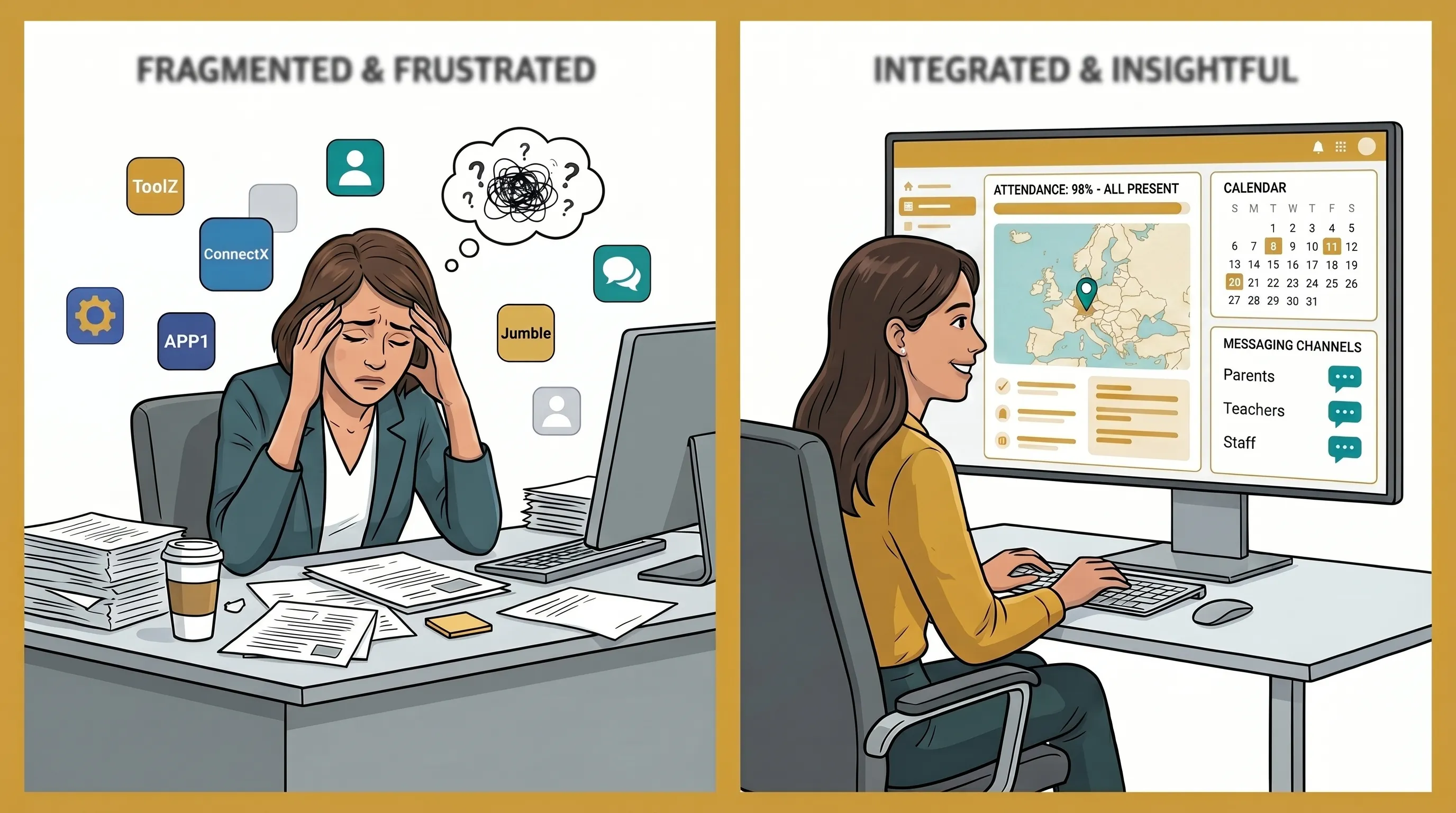
If you run an English-medium international school and want to replace Seesaw, this page compares three Seesaw alternatives: BeeNet, Toddle, and ClassDojo. Schools usually start looking for one of three reasons: Seesaw sells only district or school licences now, the free plan no longer stretches to a working class, or the school needs its pupil and parent data hosted in the EU. Some also need staff and families to work in French or Arabic, not just English.
Read this before you switch. In BeeNet, teachers add the work to the portfolio. Pupils do not create their own entries: they cannot record a voice note, draw or photograph their own work in the app. The reason is a design choice: we do not think young children should need a device to document their learning, and we want parents to see work a teacher has added. If your pupils, usually the older ones, should record and publish their own work, keep Seesaw or look at Toddle. BeeNet suits schools where teachers curate the record and parents get updates from the teacher, especially in early years and primary. It also covers parent messaging, homework and attendance.
If the part of Seesaw you rely on is teachers messaging parents and setting homework, rather than pupils making their own entries, BeeNet is one option worth a look. Book a demo and we can show you messaging and homework using a sample of your class setup. If you are still comparing, the sections below cover where each platform fits and where it falls short, and our guide to the best school communication apps for international schools goes wider.
Why schools are looking for a Seesaw alternative
Seesaw remains a well-regarded portfolio platform, particularly for Pre-K to Grade 6. These limitations, however, have pushed specific school profiles to look elsewhere.
District-only subscriptions have removed teacher autonomy. In 2024, Seesaw eliminated individual teacher memberships. One reviewer on Capterra noted: “Seesaw has taken away individual teacher memberships and increased costs to district memberships, leaving it in the hands of districts to decide whether Seesaw is beneficial.” Schools where the IT department or administration has not adopted Seesaw at the district level now face an all-or-nothing decision.
The free tier is too limited for practical classroom use. Seesaw’s free Starter plan has been capped at one active class and 35 students since 30 June 2026, according to Seesaw’s own announcement. As one reviewer noted, “the free option does not give enough options to make use worthwhile in the classroom.” For schools evaluating a platform before committing to a district contract, that leaves a narrow evaluation window. Our breakdown of what the Starter limits cost has the full list.
GDPR scrutiny has made EU schools cautious. Iceland’s data protection authority (Persónuvernd) found in 2021 to 2023 that two municipalities’ use of Seesaw in schools breached GDPR; the resulting fines were later annulled (Reykjavik, Supreme Court, December 2024) or revoked (Kopavogur, May 2025). Sources: Persónuvernd and GDPR Enforcement Tracker. EU schools operating under GDPR scrutiny have taken note.
EU data residency is not the default. For paid Seesaw subscribers, EU or UK data residency is available — but it is not the default. Free plan users have no option. Schools in France, Belgium, Switzerland, or the GCC that need documented data residency must negotiate this as a contract term.
No native French or Arabic interface for administrators and teachers. Seesaw offers family-facing content translation in 55+ languages, including French and Arabic — but the teacher and administrator UI is English-first. For schools where French or Arabic is the working language of staff, this is a daily friction point, not a minor inconvenience.
No search function. Multiple user reviews describe the same frustration: “There’s no search option — the only option is to scroll and look for tasks and rely on memory.” At scale, a scroll-only interface becomes a significant operational cost.
A 2022 security incident is worth knowing about. In September 2022, hacked Seesaw teacher accounts were used to send an inappropriate image to parents at schools in multiple US states — reported independently by The Record, Malwarebytes, and local outlets. Account-security posture (credential reuse protection, breach detection) matters alongside the data-residency questions above.
What to look for in a Seesaw alternative
Not every school needs the same thing. Before evaluating platforms, identify which of these criteria is non-negotiable for your context.
EU data residency and GDPR documentation. If your school is subject to GDPR (EU, EEA, UK) or operates in a data-sensitive jurisdiction, verify that any alternative provides EU data hosting by default — not as a paid add-on — and that a Data Processing Agreement is available at onboarding, not after a sales negotiation.
Native language support for staff. Family-facing translation is not the same as a native admin interface. If your teaching staff works primarily in French or Arabic, look for a platform where those languages are first-class — menus, labels, and notifications — not a machine-translated overlay on an English core.
Scope: school only, or multi-vertical. If your organization also operates a sports program, daycare, or community center alongside your school, a platform that covers all organizational types under one subscription may save both cost and administrative overhead.
Portfolio documentation vs. communication-first. Seesaw’s strongest differentiator is its student digital portfolio system — voice, video, drawing, photos, with parental viewing. If you want pupils to record and publish their own learning, prioritize platforms that offer this. If your primary need is structured communication, attendance, and progress reporting, a communication-first platform may serve you better.
Pricing model. School and district plans are quoted by Seesaw (from $2,500 per Seesaw’s help centre). For Toddle, check pricing with Toddle. ClassDojo offers a free core with no member cap. BeeNet offers a free tier for up to 25 members and paid plans from €49/month. Know your budget constraint before beginning demos.
Mobile experience for parents. For schools in the GCC or francophone Africa, consider whether the platform’s parent onboarding friction is appropriate for your community — password-based accounts require more setup than OTP (one-time password) login, and invitation delivery via WhatsApp versus email reflects real differences in how families in different markets receive communications.
The best Seesaw alternatives for schools
BeeNet
BeeNet is a school communication platform built for Schools, Sports Clubs, Community Centers, and Daycares under one multi-tenant subscription. It offers a free tier for up to 25 members and paid plans from €49/month, and suits international schools that need EU data hosting, English, French or Arabic interfaces, and one platform that can also cover a sports program or daycare under the same account.
For schools under GDPR, the core advantage is structural: BeeNet hosts data on Azure in the EU, and the sub-processors it uses are listed in the privacy policy. BeeNet is a newer platform with a smaller user base than Seesaw, so ask for references from schools of your size.
For GCC and francophone schools, BeeNet’s native French (default language) and Arabic UI — with full right-to-left support — means teachers and administrators work in their operating language without workarounds. Parent login uses OTP (no password required), which reduces onboarding friction for families less accustomed to creating accounts on new platforms. Invitation delivery via WhatsApp is available for parent onboarding — directly relevant in markets where WhatsApp is the primary communication channel.
School-specific features include attendance tracking, student notebooks, progress reports, transportation GPS tracking (live bus tracking and boarding history for parents), and classroom safety modules. Messaging uses structured channels rather than open group chats, with real-time delivery via push notification.
Where BeeNet falls short: BeeNet has a portfolio, but teachers fill it: they add photos, videos, audio, and documents of student work, organized by curriculum competency areas, and parents view and react. Parents see a portfolio once the teacher has made it visible to them, and teachers can export it as a PDF. Pupils do not create entries, and BeeNet has no equivalent of Seesaw’s student-creation canvas, where pupils record voice annotations, draw in the app, and photograph their own work. That gap is deliberate, and we have two reasons. First, we do not want young children to need a device to document their learning. WHO’s 2019 guidelines recommend limiting sedentary screen time for under-5s (none under 1, no more than an hour a day at 2 to 4, less is better). They do not address school-age children or learning apps, so for older pupils it is each school’s call. Second, parents see work their child’s teacher has chosen to add and make visible. It also means BeeNet cannot replace Seesaw where pupils author their own work. If pupil-made portfolios are central to your pedagogy, Seesaw’s approach will feel more native and is the better fit. BeeNet includes behavior point tracking — instructors award positive or negative points with category labels, and analytics surface trends — but it does not include ClassDojo’s full gamification layer (reward store, leaderboards, class-wide point totals). BeeNet’s free tier is capped at 25 members — enough to evaluate the platform but not for full school deployment. Schools beyond this size will need a paid plan starting at €49/month.
Best for: international schools that need EU data hosting, an English, French or Arabic admin interface, and a unified communication platform covering school communications, attendance, progress tracking, and teacher-added portfolios that parents can view.
See how BeeNet handles school communication and GDPR compliance.
Toddle
Toddle is an AI-powered learning management system designed for K–12 schools, with particularly strong support for IB World Schools (PYP, MYP, DP), Cambridge, and other international curricula. Toddle reports a large international customer base, with a strong presence in the GCC; ask Toddle for current school counts and references in your region.
Toddle’s depth is its differentiator and its limitation. For IB schools that need curriculum planning, unit planning, assessment workflows, report cards, student portfolios, behavior logging, and a communications hub in one platform, Toddle is comprehensive in a way that no other tool in this comparison matches. Toddle lists GDPR, COPPA, FERPA, and SOC 2 compliance and multi-region hosting, with region options; ask for the current certificates and the data-residency terms in writing. It also offers a French-language product line for French IB schools.
The limitations: check pricing and any free or trial option with Toddle, and expect the platform’s complexity to make onboarding demanding. For non-IB schools or smaller schools that primarily need parent communication rather than a full LMS, Toddle is likely over-engineered. Communication features, while present, feel secondary to the LMS core.
Best for: IB World Schools and international K–12 schools that need a comprehensive LMS with curriculum planning, portfolio, and assessment alongside communication — particularly in GCC and Europe.
ClassDojo
ClassDojo is a classroom communication and management platform with a free core, which is a real distinction in this comparison. Its signature feature is a gamified behavior points system, alongside class story photo and video feeds, parent messaging with auto-translation, attendance, and basic student portfolios.
For schools in the US with a tight budget where English is the primary working language and ClassDojo’s behavior points system aligns with classroom culture, it remains a widely used option with strong teacher familiarity. Parent messaging auto-translates, which helps multilingual family populations.
The limitations: ClassDojo’s behavior points system has drawn criticism on equity and inclusion grounds, so schools that have moved away from gamified behavior tracking will find it a mismatch. Our ClassDojo alternative guide covers that in more depth. Schools that need EU data residency by default should ask ClassDojo where data is hosted. French and Arabic are available. ClassDojo Plus is a family-facing add-on, so schools cannot pay centrally for enhanced features, which limits institutional control.
Best for: US-based K–8 schools with budget constraints where ClassDojo’s free core is a deciding factor and the behavior points system aligns with existing classroom culture.
How do BeeNet, Seesaw, Toddle, and ClassDojo compare?
| Feature | BeeNet | Seesaw | Toddle | ClassDojo |
|---|---|---|---|---|
| Native French UI | ✅ | ⚠️ Translation only | ✅ | ✅ |
| Native Arabic + RTL | ✅ | ❌ | Check with Toddle | ✅ |
| GDPR (EU hosting, no enforcement actions) | ✅ | ⚠️ DPA findings in Iceland (fines later annulled) | ✅ | ⚠️ Ask ClassDojo |
| School messaging / channels | ✅ | ✅ | ✅ | ✅ |
| Sports clubs support | ✅ | ❌ | ❌ | ❌ |
| Daycare / crèche support | ✅ | ❌ | ❌ | ❌ |
| Community centers support | ✅ | ❌ | ❌ | ❌ |
| Parent OTP login (no password) | ✅ | ❌ | ❌ | ❌ |
| WhatsApp invitation delivery | ✅ | ❌ | ❌ | ❌ |
| Attendance tracking | ✅ | ⚠️ Check with vendor | ✅ | ✅ |
| Student notebook / progress reports | ✅ | ✅ | ✅ | ⚠️ Basic |
| Transportation GPS tracking | ✅ | ❌ | ❌ | ❌ |
| Behavior / star points system | ⚠️ Basic tracking | ❌ | ⚠️ Logging only | ✅ |
| Student digital portfolio | ⚠️ Teacher-added, parent-visible | ✅ Pupil-created | ✅ | ⚠️ Basic |
| Built-in LMS / curriculum management | ❌ | ⚠️ Activities | ✅ | ❌ |
| Video conferencing | ❌ | ❌ | ❌ | ❌ |
| Free tier | ✅ (25 members) | ✅ (35 students) | Check with Toddle | ✅ |
| Pricing model | Free (25 members) + from €49/mo | Subscription + Free (35 students) | Check with Toddle | Free + Family add-on |
| Mobile app (iOS + Android) | ✅ | ✅ | ✅ | ✅ |
| Multi-org (schools + clubs + daycares) | ✅ | ❌ | ❌ | ❌ |
| EU data residency by default | ✅ | ❌ | Region options (ask Toddle) | ❌ |
Which Seesaw alternative is right for your school?
If pupils should record and publish their own work — a canvas where students themselves draw, record voice, and photograph their own work — Seesaw remains the strongest tool for this specific pedagogy, particularly for Pre-K to Grade 6. BeeNet’s portfolio is teacher-added (teachers upload photos, videos, audio and documents; parents view and react), and pupils do not create entries. Toddle is the better option for K–12 schools that need both portfolio and a full IB-aligned LMS.
If you are an IB World School or international K–12 school needing curriculum planning, unit planning, assessment, report cards, and portfolio in a single platform, Toddle is purpose-built for this profile in a way that no other platform in this comparison matches. If report cards specifically are the deciding factor rather than the full IB curriculum stack, our dedicated comparison of report card grading systems narrows that decision further.
If you need a free tier and your school is primarily US-based with English as the working language and no requirement for EU data residency, ClassDojo’s free core makes it the most accessible starting point.
If you are an English-medium international school where teachers use Seesaw mainly to message parents, set homework and share work with families, BeeNet covers that with EU hosting by default, an English interface, and French and Arabic available for staff and families who need them. Teachers add the portfolio work; pupils do not, as the note at the top explains.
If your school needs EU data hosting by default, a native French or Arabic admin interface, and messaging, attendance, progress reports and transport in one place, BeeNet is built for that profile. It also offers a free tier for up to 25 members, which is enough for initial evaluation.
If your organization runs multiple verticals — a school alongside a sports program, daycare, or community center — BeeNet is the only platform in this comparison that covers all four organizational types under one subscription.
Replacing Seesaw: what to move and how
If you decide to switch from Seesaw, plan it as a term-long handover, not a weekend export. This checklist uses only what Seesaw documents publicly; where we could not confirm an option, it says what to ask Seesaw.
- Check your plan before anything else. Seesaw’s help center says teachers with a subscription can download a student’s journal as a .zip archive from the web app (Account Settings, then Download Journal Archives), that families and students who sign in with an email address can download their own work, and that administrators can download class journals from the school dashboard. The same article says Starter journals can only be downloaded by families, within 60 days of a class being archived (Seesaw Help Center). If your teachers are on Starter, ask Seesaw how else you can get the content out.
- Export student work first. Download journals class by class and store them somewhere your school controls. Decide per class whether the archive is a record to keep or something to re-upload; BeeNet’s portfolio takes teacher uploads of photos, video, audio and documents, so selected pieces can be re-added by staff. BeeNet has no Seesaw import, so staff re-upload the pieces they choose to keep.
- Rebuild class lists and parent contacts from your own records. Seesaw documents importing rosters by CSV, Clever or ClassLink (Seesaw Help Center), and administrators can export a class roster CSV and a student CSV, but family contact details are not exported. Ask Seesaw how to get them, and use your student information system as the source of truth either way.
- Rebuild the routines, not just the data. List what teachers actually do in Seesaw each week (posting homework, messaging parents, sharing photos) and recreate those first. Attendance is worth adding at the same time if you are not already tracking it somewhere parents can see.
- Run both for a term. Keep Seesaw for anything pupils create themselves, and move parent messaging and homework across first. Set an end date for Seesaw before you start, so families do not end up on two apps indefinitely.
- Tell parents early, and in the languages they use. Send one message explaining what changes, when, where to get help, and how long old Seesaw entries stay available to them. Ask Seesaw in writing what happens to stored content after a subscription ends.
Starter journals can only be downloaded by families, within 60 days of a class being archived, so read what Seesaw’s Starter limits cost before you fix the timeline. If you want a second opinion on the replacement shortlist, our comparison of Google alternatives to Seesaw covers more apps like Seesaw.
Frequently asked questions
Is Seesaw GDPR compliant?
Seesaw offers EU and UK data residency for paid subscribers, but it is not the default configuration. EU schools should verify their specific contract terms and confirm EU data residency is active — not assumed.
Why are schools looking for Seesaw alternatives?
The most commonly cited reasons are: the 2024 removal of individual teacher subscriptions (district-level purchase now required), the 35-student cap on the free Starter plan, the absence of a native French or Arabic staff interface, and the lack of a search function (scroll-only navigation).
What is the best free alternative to Seesaw?
ClassDojo offers a free core platform that covers classroom communication, parent messaging with auto-translation, attendance, and a basic class story feed. It is the most accessible free option in this comparison. The free tier has no student cap, unlike Seesaw’s 35-student limit. Note that ClassDojo Plus (enhanced features) is a family-paid add-on, not an institutionally purchasable upgrade.
Does Seesaw work in French or Arabic?
Seesaw offers family-facing content translation into French and Arabic — parents can receive communications in these languages. However, the teacher and administrator interface is English-first. Schools where teaching staff and administrators work primarily in French or Arabic will find that the translation layer does not replace a native-language UI.
What is the difference between Seesaw and ClassDojo?
Seesaw is primarily a student digital portfolio tool — its core value is capturing student work (drawings, voice recordings, video, photos) organized as a portfolio that parents can view. ClassDojo is primarily a classroom communication and behavior management tool — its core value is the gamified behavior points system alongside class story feeds and parent messaging. Both have added features over time, but their pedagogical orientations remain different.
Is there a school communication app with EU data hosting?
Yes. Both BeeNet and Toddle offer EU data hosting. BeeNet hosts on Azure in the EU by default for all subscribers. Toddle lists multi-region hosting; ask Toddle which regions are available. For ClassDojo, ask where data is hosted. Seesaw offers EU data residency for paid subscribers, but it is not the default and requires contract-level confirmation.
Does BeeNet have a free trial or free tier?
Yes. BeeNet offers a free tier for up to 25 members at €0/month — sufficient to evaluate the platform with a small group before committing to a paid plan. Paid plans start at €49/month for up to 200 members, with a 30-day trial. Schools that need to pilot the platform at full scale can book a demo for a guided walkthrough.
If you have decided to move from Seesaw and your priorities are EU data residency, English plus French or Arabic support, and parent communication that covers attendance and homework, BeeNet is one option built for that profile: EU-hosted, with Arabic RTL support, covering schools alongside sports clubs, daycares, and community centers. If pupils must record and publish their own work, keep Seesaw or look at Toddle instead. Book a demo to see whether it suits your school’s setup.


Related BeeNet Features
Ready to Transform Your School Communication?
Start saving time and increasing parent engagement with BeeNet.
Request Demo